Manufacturing businesses need accurate product identification throughout production, storage, packaging, and dispatch. Barcode printing plays an important role in tracking raw materials, work-in-progress (WIP), finished goods, batches, serial numbers, and shipments.
Choosing an industrial barcode printer for manufacturing involves more than comparing price and print speed. Production volume, label material, print resolution, connectivity, operating environment, software integration, and after-sales support all influence the right choice.
With more than 30 years of experience in barcode, RFID, printing, mobility, and automation solutions, Stallion Global helps businesses evaluate technology based on their operational requirements and application needs.
What Is an Industrial Barcode Printer?
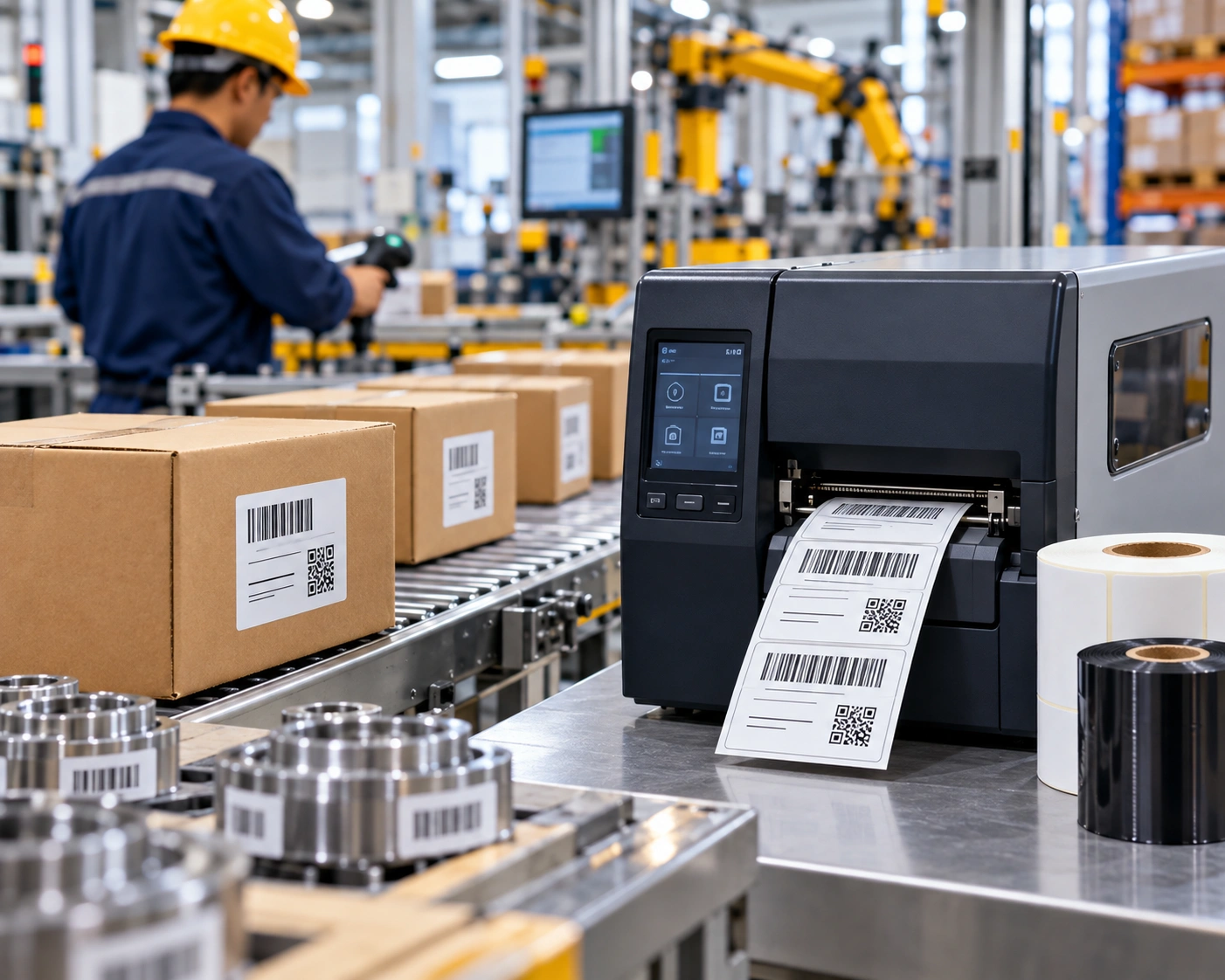
An industrial barcode printer is designed for demanding printing environments where businesses require consistent output, durability, and reliable operation. These printers are commonly used for high-volume product identification and labeling across manufacturing and supply chain operations.
Typical applications include:
- Raw material identification
- WIP tracking
- Product and component labeling
- Batch and lot identification
- Serial number tracking
- Finished goods labeling
- Carton and pallet labeling
- Shipping and logistics labels
- Product traceability
Industrial printers can also form part of an Automatic Identification and Data Capture (AIDC) ecosystem that includes barcode scanners, mobile computers, RFID technology, ERP systems, and Warehouse Management Systems (WMS).
Find the Right Industrial Barcode Printer for Your Business
Why Does Printer Selection Matter in Manufacturing?
Manufacturing labels may need to remain readable through production, handling, warehousing, transportation, and distribution. The wrong printer, media, or printing technology can result in poor barcode quality, reprints, material wastage, or workflow interruptions.
The best approach is therefore to start with the application. A manufacturer printing thousands of labels every day may have different requirements from a business printing small component labels that need high-resolution output.
7 Factors to Consider Before Buying
1. Printing Volume and Duty Cycle
Determine how many labels you print during normal and peak production periods. Consider daily volume, operating hours, label dimensions, printing frequency, and required print speed.
For high-volume applications, select equipment designed to support the expected workload. This helps maintain consistent production without unnecessary interruptions.
2. Thermal Transfer vs Direct Thermal
The two common thermal printing methods are thermal transfer and direct thermal.
Thermal transfer uses a ribbon to transfer an image onto the label and can be suitable when labels need greater resistance to handling or environmental exposure.
Direct thermal printing uses heat-sensitive media and does not require a ribbon. It can be appropriate for applications where long-term durability is less critical.
The choice should be based on label lifespan, material, environment, and application requirements.
3. Print Resolution
Print resolution is measured in DPI (dots per inch). The required resolution depends on the size and complexity of the information being printed.
Standard product and carton labels may work well with common resolutions, while small labels, compact barcodes, fine text, and detailed graphics may require higher resolution.
Always evaluate the smallest barcode or text element that must be printed before selecting a resolution.
4. Label Size and Media
Check whether the printer supports the media used in your operation. Important considerations include:
- Label width and length
- Paper or synthetic materials
- Continuous or pre-cut labels
- Gap or black-mark sensing
- Ribbon compatibility
- Roll diameter and core size
- Special-purpose labels
Stallion Global also provides barcode labels and thermal transfer ribbons, allowing businesses to evaluate printers and consumables together as part of their labeling setup.
5. Connectivity and Software Integration
In a connected manufacturing environment, a barcode printer may receive data from an ERP, WMS, production application, or database.
Before selecting a printer, verify its compatibility with your existing infrastructure and required interfaces. Depending on the model, connectivity may include Ethernet, USB, serial, Wi-Fi, or other supported options.
Integration can streamline the printing of product codes, batch numbers, serial numbers, order information, and other variable data.
6. Manufacturing Environment
Where the printer operates is just as important as what it prints.
Production areas may involve dust, vibration, temperature changes, continuous usage, or limited space. A printer installed beside a production line may therefore have different requirements from one operating in a controlled warehouse.
Assess the installation environment, operating hours, accessibility, and maintenance requirements before making a decision.
7. Technical Support and Total Cost
The purchase price is only one part of the overall investment. Consider installation, configuration, consumables, spare parts, maintenance, warranty, training, and technical support.
A reliable technology partner can also help with printer selection, integration, troubleshooting, and ongoing support.
Upgrade Your Manufacturing with Reliable Barcode Printing Solutions
Manufacturing Applications of Barcode Printing
Raw Material Tracking
Barcode labels can identify incoming materials, components, batches, and storage locations, helping connect physical inventory with digital records.
WIP Identification
During production, barcodes can identify components, assemblies, work orders, and production stages. This supports WIP visibility and product traceability.
Finished Goods
Finished products can be labeled with product codes, batch information, serial numbers, or other identification data required by the business.
Packaging and Dispatch
Carton, pallet, and shipping labels help connect finished products with orders and distribution processes, supporting accurate movement from manufacturing to warehouse and dispatch.
Industrial Barcode Printing Solutions from Stallion Global
The BOXP BP4310i Industrial Barcode Printer offers businesses an option for industrial barcode printing applications. Stallion Global provides comprehensive barcode printing solutions from leading technology partners, including Honeywell, Brady, Datalogic, and Avery Dennison, alongside barcode scanning, RFID, enterprise mobility, and software solutions. Its portfolio features industrial printers such as the Honeywell PM45, PM65, PX940, and PX Series, supporting diverse printing requirements across manufacturing, warehousing, logistics, and supply chain operations. With expertise in AIDC and business automation, Stallion Global helps businesses evaluate printing requirements and identify suitable technologies based on print volume, label specifications, connectivity, media compatibility, and operating environments.
Why Choose Stallion Global?
With 30+ years of industry experience, Stallion Global provides barcode, RFID, printing, mobility, software, and automation solutions for businesses across India and the Middle East.
The company combines technology partnerships, application expertise, consumables, software capabilities, and technical support to develop solutions for different operational environments.
Stallion Global is also a long-standing Honeywell partner and identifies itself as Honeywell’s Only Diamond Partner in India, with the partnership dating back to 2015.
For businesses in Kochi, Kerala, across India, and the Middle East, Stallion Global can support the evaluation and implementation of barcode printing solutions based on specific business requirements.
Get the Right Industrial Barcode Printing Solution
Selecting an industrial barcode printer for manufacturing should begin with your production and labeling requirements. The right combination of printer, media, software, and support can help businesses maintain accurate identification across production, inventory, traceability, packaging, and logistics.
Stallion Global can help you evaluate your requirements and identify a suitable barcode printing solution.
Get Expert Guidance on Industrial Barcode Printer Selection
Frequently Asked Questions
Which barcode printer is suitable for manufacturing?
The suitable printer depends on print volume, label size, resolution, printing technology, environment, connectivity, and software requirements. Industrial models are commonly considered for demanding manufacturing applications.
Is thermal transfer or direct thermal better for manufacturing?
Neither is universally better. Thermal transfer can be suitable for applications requiring durable labels, while direct thermal may suit applications where long-term durability is less important.
Can an industrial barcode printer connect with ERP or WMS software?
Yes, compatible printers can be integrated into supported ERP, WMS, production, and database workflows to automate label printing and variable data.
What should I check before buying an industrial barcode printer?
Evaluate print volume, label dimensions, media, resolution, printing method, connectivity, operating environment, software compatibility, consumables, maintenance, and technical support.