Businesses across retail, manufacturing, logistics, and field service increasingly rely on mobile devices to capture data, identify products, and manage daily operations. However, choosing between a consumer smartphone and a purpose-built enterprise device can influence productivity, scanning efficiency, durability, and long-term operating costs.
Understanding handheld mobile computers vs smartphones helps businesses select technology that matches their workflows, working environments, and software requirements. While smartphones offer flexibility and convenience, enterprise mobile computers are designed to support specialised professional tasks, including frequent barcode scanning and real-time data collection.
This guide explores their key differences, practical benefits, industry applications, and the factors businesses should consider before investing.
What Are Handheld Mobile Computers?
Handheld mobile computers are dedicated business devices that combine mobile computing capabilities with features designed for professional operations. Many models run Android and support business applications, wireless connectivity, and integrated barcode scanning.
Depending on the model, these devices may include physical scan triggers, rugged construction, replaceable batteries, and accessories for extended workplace use. They are commonly used for inventory management, product identification, asset tracking, order processing, and field data collection.
Unlike general-purpose mobile devices, enterprise handhelds are developed to support specific operational workflows where reliable data capture and consistent performance are important.
Can Smartphones Handle Business Operations?
Yes. Smartphones can support numerous business activities through mobile applications, cameras, wireless connectivity, and cloud-based platforms. Employees can use them to check inventory, update records, communicate with teams, photograph products, and access business applications.
For small businesses, occasional barcode scanning, or operations with limited data capture requirements, a smartphone may be sufficient. However, camera-based scanning can become less convenient when employees need to scan large volumes of barcodes throughout the day.
Consumer smartphones also vary in their resistance to drops, dust, moisture, and demanding working conditions. Businesses should evaluate device specifications and application requirements before deploying smartphones in industrial or high-intensity environments.
Upgrade Your Business with Enterprise Mobile Computers!
Handheld Mobile Computers vs Smartphones: Key Differences
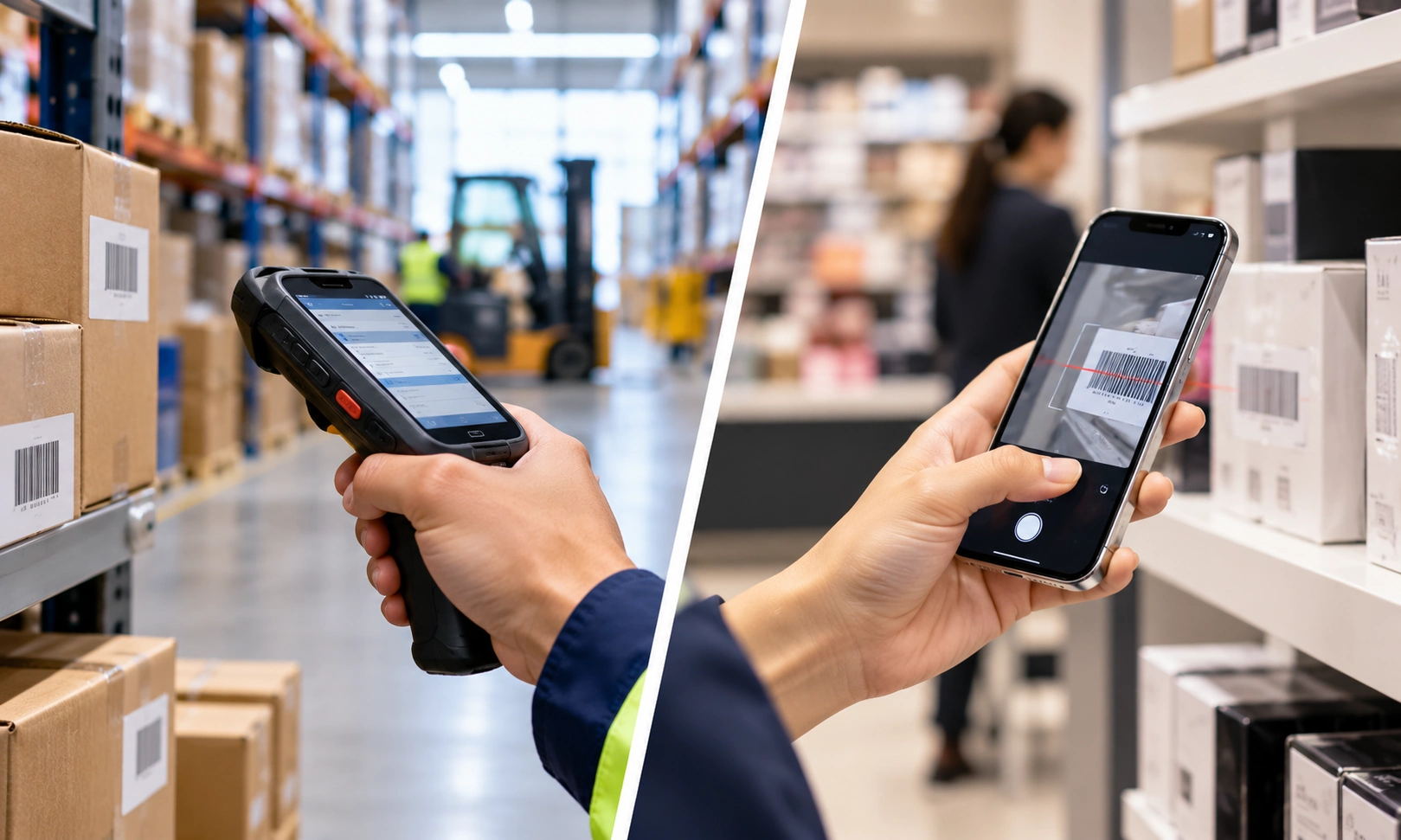
The primary difference is their intended purpose. Smartphones are versatile communication and computing devices, whereas enterprise handheld computers are designed for specialised business workflows.
Feature | Handheld mobile computers | Smartphones |
Barcode scanning | Many models offer integrated scanning engines | Typically use the camera or compatible accessories |
Durability | Rugged models are available for demanding environments | Protection varies by model |
Battery management | Some models support replaceable batteries | Batteries are generally built in |
Data capture | Designed for frequent scanning and structured workflows | Suitable for general mobile data collection |
Software | Supports compatible enterprise applications | Supports a broad range of consumer and business apps |
Initial investment | Generally higher for specialised devices | Available across a wider price range |
Typical applications | High-frequency scanning and specialised operations | Communication, general business tasks, and occasional scanning |
Actual capabilities depend on the individual device, accessories, software, and operating environment. Not every enterprise handheld offers the same level of protection, and some smartphones are suitable for demanding business applications.
Key Benefits of Handheld Mobile Computers
1. Efficient Barcode Scanning
Enterprise devices equipped with integrated scanning engines can capture supported 1D and 2D barcodes without relying solely on a smartphone camera. Physical scan triggers can make repeated scanning more convenient when employees handle products, packages, or equipment throughout their shifts.
This capability is useful for inventory verification, asset identification, order processing, and other barcode-based workflows.
2. Durability in Professional Environments
Rugged mobile computers are available with manufacturer-rated protection against drops, dust, and moisture. Depending on their specifications, they may be suitable for factory floors, retail backrooms, distribution facilities, and outdoor operations.
Businesses should verify each model’s ingress protection rating, drop specifications, operating temperature, and other environmental requirements before selecting a device.
3. Support for Extended Workflows
Some enterprise handhelds offer replaceable batteries, charging accessories, ergonomic designs, and features intended for prolonged professional use. These options can help organisations manage devices across shifts and reduce interruptions associated with charging.
Actual battery performance depends on scanning frequency, screen brightness, connectivity, applications, and device configuration.
4. Integration with Business Software
Compatible mobile computers can connect with inventory management applications, Enterprise Resource Planning (ERP) systems, Warehouse Management Systems (WMS), and asset tracking platforms.
This integration allows employees to record transactions, update information, and retrieve operational data directly from their devices, reducing dependence on manual data entry.
Find the Right Handheld Mobile Computer with Stallion Global!
Applications Across Different Industries
The right device depends on the tasks employees perform, the environment in which they work, and the information they need to capture.
Retail and Distribution
Retail teams can use mobile computers for stock verification, shelf replenishment, product identification, and inventory updates. Smartphones can be useful for store audits, product photography, communication, and occasional scanning.
For businesses processing high volumes of barcode transactions, dedicated scanning hardware may provide a more convenient workflow.
Manufacturing
Manufacturing operations require accurate identification of materials, components, finished goods, and production records. Enterprise mobile computers can support material tracking, work-in-progress monitoring, and production-related data capture.
Device selection should account for environmental conditions, barcode readability, software integration, and the nature of the manufacturing process.
Logistics and Transportation
Logistics teams can use mobile devices for parcel identification, shipment updates, delivery confirmation, and proof-of-delivery workflows. Rugged handhelds may be advantageous for frequent scanning or demanding operating conditions, while smartphones can support communication and less intensive delivery tasks.
Asset Management
Organisations managing IT equipment, tools, machinery, or other assets can use mobile devices to scan identification labels and access asset records. Dedicated barcode scanners can be beneficial when employees perform frequent audits or manage large asset inventories.
Field Service
Field technicians often need access to service records, equipment information, inspection forms, and customer details. Smartphones offer convenient access to these applications, while rugged mobile computers may be more appropriate when the work involves intensive scanning or exposure to challenging environments.
Applications Across Different Industries
Before investing in mobile computing technology, assess these practical considerations.
Scanning requirements: Determine how frequently employees scan barcodes and whether they need to read small, damaged, or difficult-to-access labels. Confirm that the selected device supports the required barcode formats.
Working environment: Consider exposure to dust, moisture, impact, temperature variations, and outdoor conditions. Choose devices with suitable manufacturer specifications.
Software compatibility: Verify support for your business applications, Android requirements, ERP platforms, inventory systems, and Mobile Device Management (MDM) tools.
Total cost of ownership: Compare purchase price, accessories, repairs, replacement costs, software, support, and expected service life. A higher initial investment may be justified if the device better supports intensive operational requirements.
Employee usability: Evaluate ergonomics, display readability, scan triggers, connectivity, charging arrangements, and training needs.
Scalability: Consider whether the devices and software can accommodate future business growth, additional users, and changing operational requirements.
Where possible, conduct a pilot test using representative business tasks. Comparing devices under actual working conditions can provide more useful insights than relying on specifications alone.
Enterprise Mobile Computing Solutions from Stallion Global
Stallion Global, brings over 30 years of experience in business technology solutions and serves more than 5,000 customers across India and the Middle East.
Stallion Global is a Honeywell Diamond Partner, and its technology partnerships also include Datalogic, Seuic, and Sunmi. These partnerships provide access to a broader portfolio of identification, barcode scanning, and mobile computing technologies for different business requirements.
When evaluating enterprise mobile devices, businesses should consider the scanning technology, device durability, application compatibility, connectivity, and operating environment rather than selecting equipment based on price alone.
Stallion Global can help organisations assess their requirements and explore suitable technologies for retail operations, manufacturing, logistics, distribution, and field service. The most appropriate solution depends on the specific application, device capabilities, and integration requirements.
Conclusion
Choosing between handheld mobile computers and smartphones requires an understanding of operational requirements rather than a one-size-fits-all approach. Smartphones offer versatility for communication and general business activities, while purpose-built enterprise devices can provide advantages for frequent barcode scanning, demanding environments, and specialised data capture.
By evaluating device capabilities, software integration, employee workflows, and long-term costs, businesses can make a more informed technology investment.
Find the Right Handheld Mobile Computer with Stallion Global!
Frequently Asked Questions
Are handheld mobile computers better than smartphones for barcode scanning?
For frequent barcode scanning, enterprise handhelds with integrated scanning engines can offer advantages in workflow efficiency, ergonomics, and durability. Smartphones may be sufficient for occasional scanning and less demanding applications.
Can enterprise mobile computers run Android applications?
Many modern enterprise mobile computers run Android and support compatible business applications. Businesses should verify the operating system, application requirements, and support lifecycle of the selected model.
Are rugged mobile computers worth the investment?
They can be worthwhile when devices are used intensively, exposed to demanding environments, or required to support specialised workflows. The business case depends on device lifespan, maintenance costs, productivity requirements, and the working environment.
How should businesses choose between handheld mobile computers and smartphones?
Businesses should evaluate scanning frequency, durability, battery requirements, software compatibility, employee needs, and total cost of ownership. Testing both device types against actual operational tasks can help identify the most suitable option.